Debug OSC, on site.
OSC over UDP monitor & sender
OSCope lets you receive OSC messages, watch values update in real time, follow them on per-address scope charts, and send your own with a built-in signal generator. Record and export incoming traffic too — all on your local network, no server, no accounts.
- Receive OSC over UDP with a live, scrolling log
- Per-address scope charts — arrays and colour included
- Send OSC from a multi-channel signal generator
- Record incoming messages and export to CSV / JSON
Available now on iOS and Android.
Just what the field needs.
A dark, instrument-style UI. One portrait phone is all it takes to verify a connection.
Real-time monitor
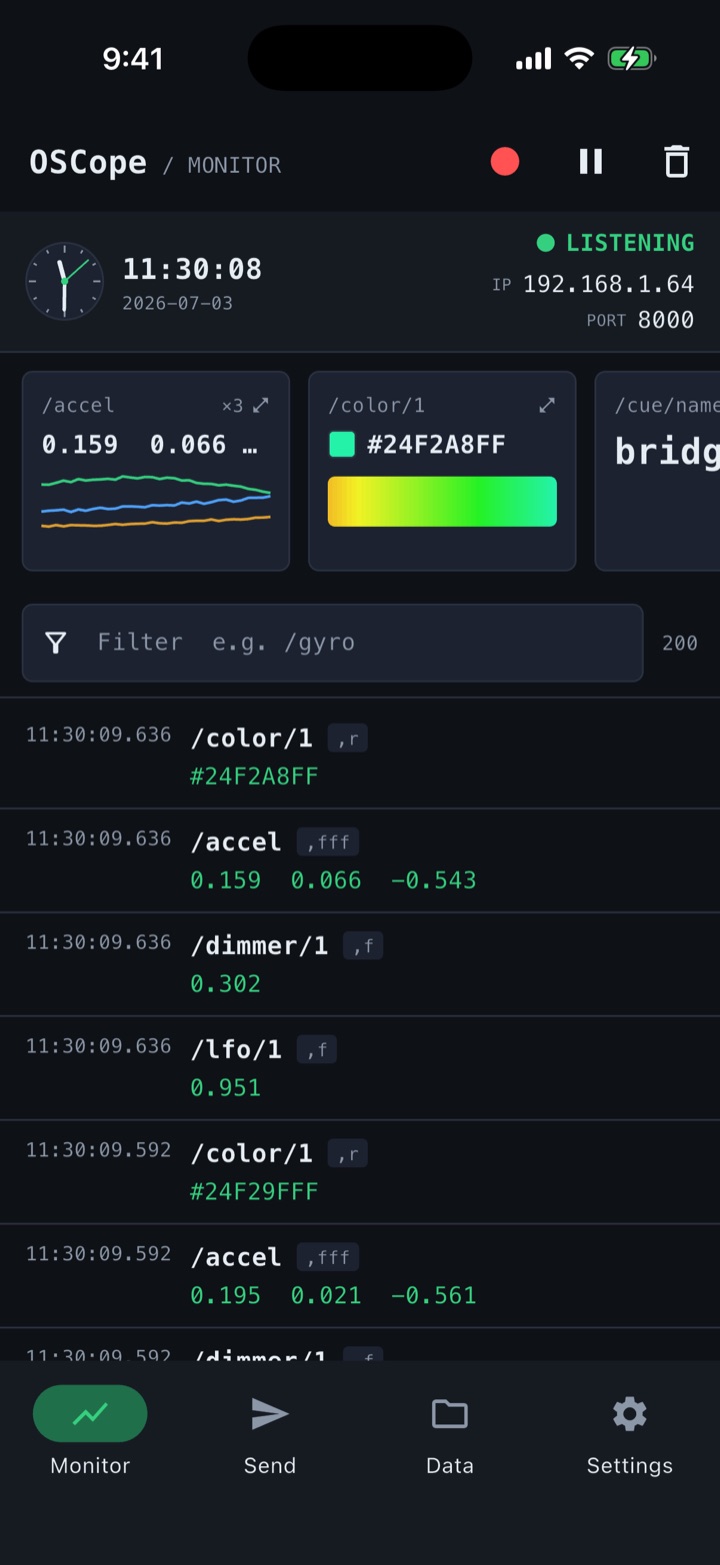
See incoming OSC as a scrolling log and per-address value cards at once. Values in 0..1 draw an intuitive bar.
Scope charts
Plot each address's values as a waveform (int / float / bool; arrays get one channel per argument). Colour (RGBA) shows as a swatch and a colour-over-time strip, strings as a value timeline. Tap to expand.
Signal generator
Send fixed, sine, noise, Perlin-noise and toggle signals across multiple channels on auto-repeat, plus colour output and a mixed-type Array card. Fire GO / RESET triggers and test signals in seconds.
Record & export
Record incoming messages and export to CSV / JSON, so you can review a show or rehearsal afterwards.
Presets & saved settings
Save your send modules as named presets. Receive port and default target are stored locally on the device too.
All local
No server, no accounts. Everything runs on your local network, so you're ready the moment you arrive.
Everything in four tabs.
Monitor / Send / Data / Settings — clear roles, nothing to get lost in.
Watch reception live
Listening status, Local IP and Receive Port up top. Per-address scope charts (a channel per array argument, a strip for colour) and a scrolling log give you the whole picture at a glance — filter, Pause and Clear are instant.
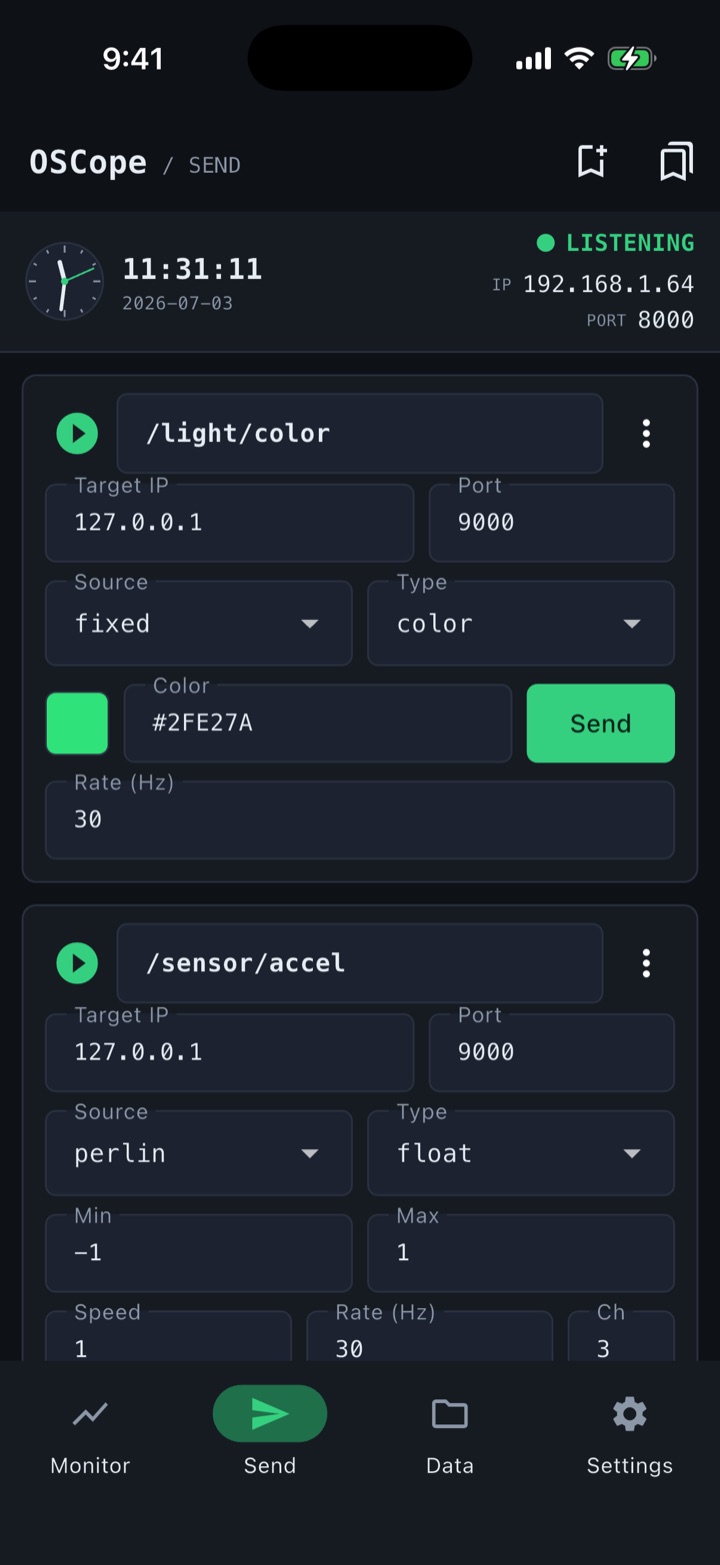
Generate and send
Stack send modules, each with its own address, target and type, then drive them with fixed, sine, noise, Perlin or toggle signals across multiple channels on auto-repeat — with colour output and a mixed-type Array card. Save your go-to combinations as presets.
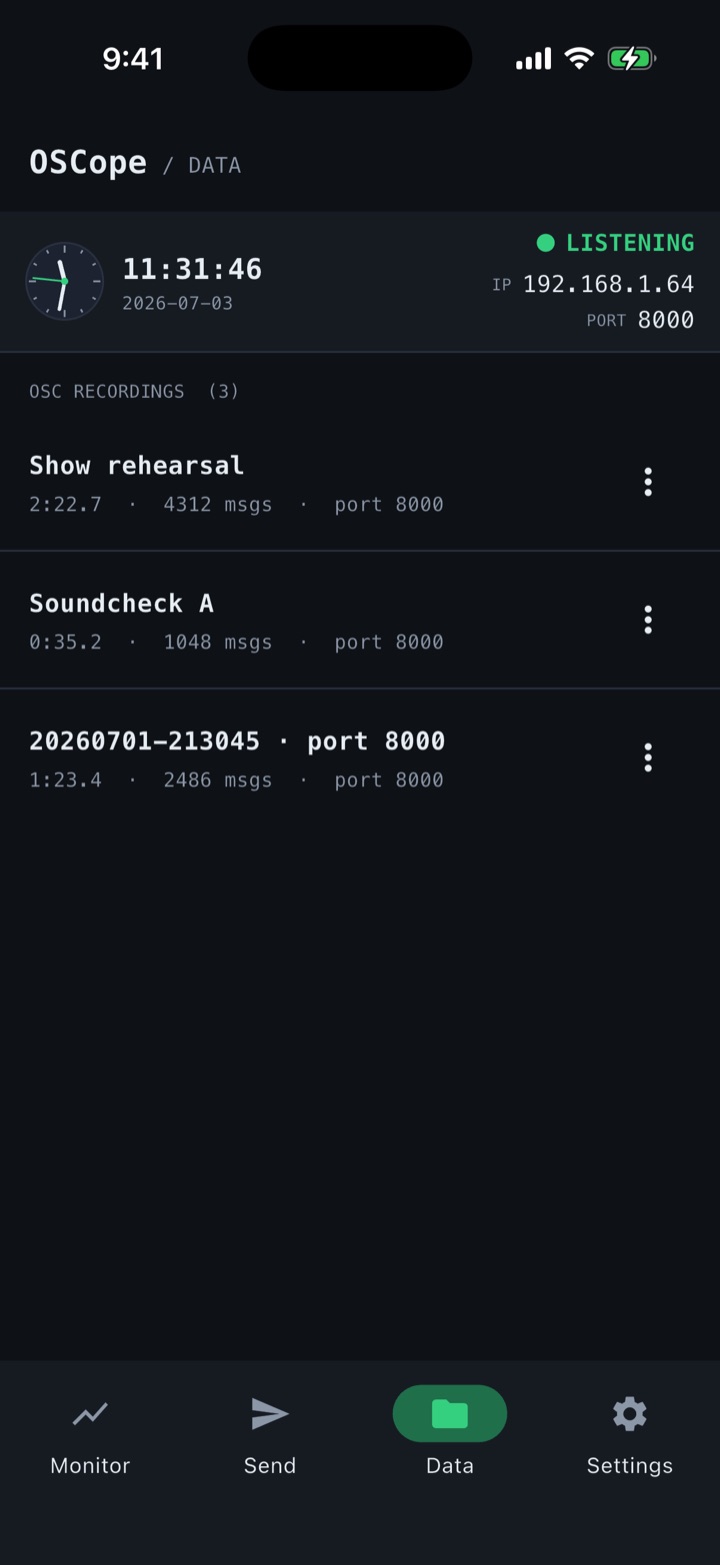
Record and export
Record incoming messages under a name, manage them by count, length and port, and export to CSV / JSON for later analysis.
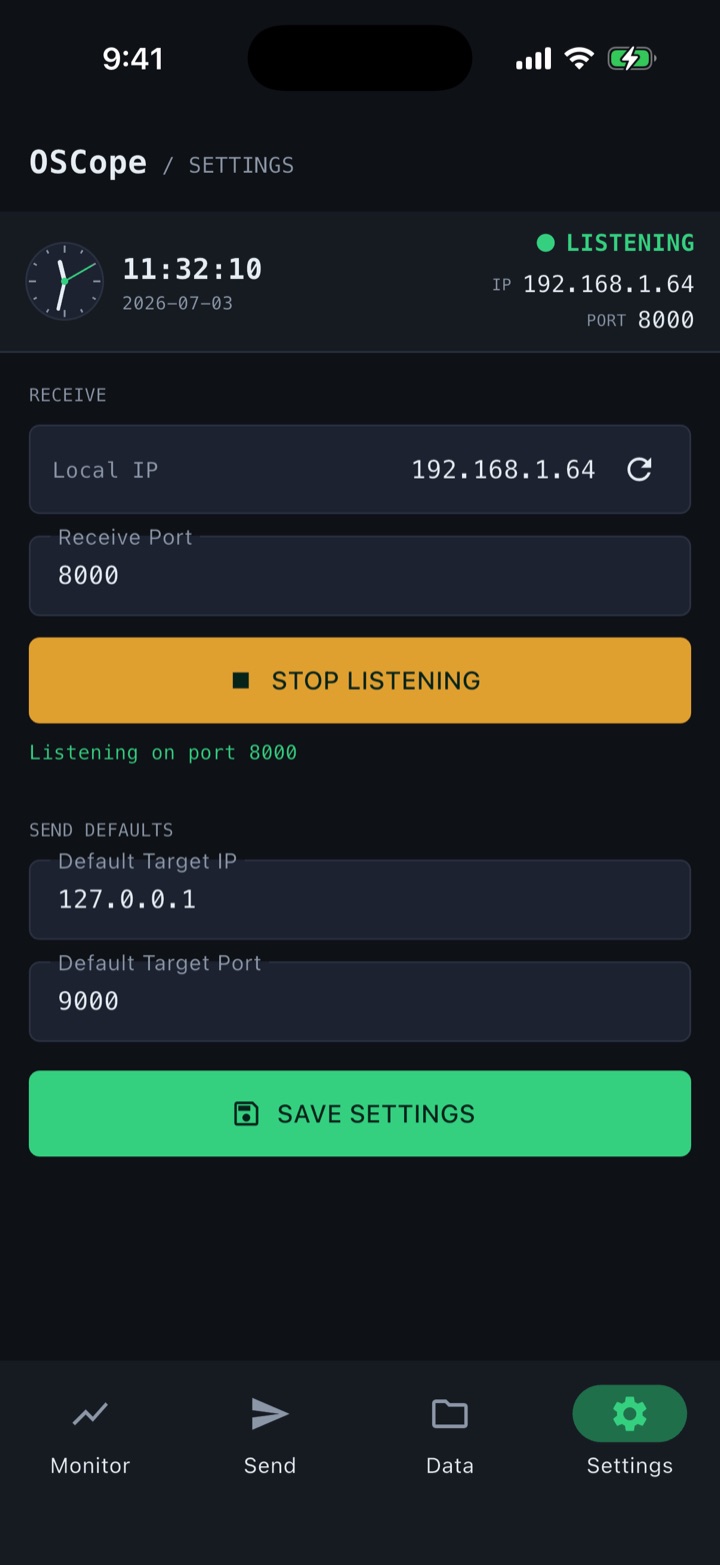
Dial in the connection
Local IP, Receive Port, Start/Stop Listening, and default target IP / port. Settings are saved on the device.
Connect with your tools.
Anything that speaks OSC works. Just put both devices on the same network and let the firewall allow the UDP port.
Set the receive port
In OSCope's Settings, set the Receive Port (e.g. 8000) and tap Start Listening. It also starts listening automatically on launch.
Note the Local IP
Read the Local IP shown at the top of the Monitor screen (e.g. 192.168.1.42) and give it to whatever is sending to you.
Point the sender and go
On the sender — e.g. TouchDesigner's OSC Out DAT/CHOP — set OSCope's Local IP and port, then send. Values appear live in OSCope's Monitor.
TouchDesigner / Max / Unity / openFrameworks are just examples. Both devices must be on the same network/subnet, and any firewall must allow the UDP port.
Specs
Scoped to what the field actually needs.
- Protocol
- OSC over UDP (Bundles supported on receive)
- Platforms
- iOS 14+ (iPhone / iPad) / Android
- Receive port (initial)
- 8000Editable
- Send target (initial)
- 127.0.0.1 : 9000Editable
- Signal sources
- Fixed / sine / noise / Perlin / toggle (multi-channel)
- Recording export
- CSV / JSON
- Log retention
- Latest 200 messages
- Built with
- Flutter / hand-written OSC codec
Items marked “initial” can be changed anytime in the app's Settings.
Supported argument types
iOS / Android
Verify OSC in the field, with zero fuss.
Download it from the App Store or Google Play.
Now on iOS and Android